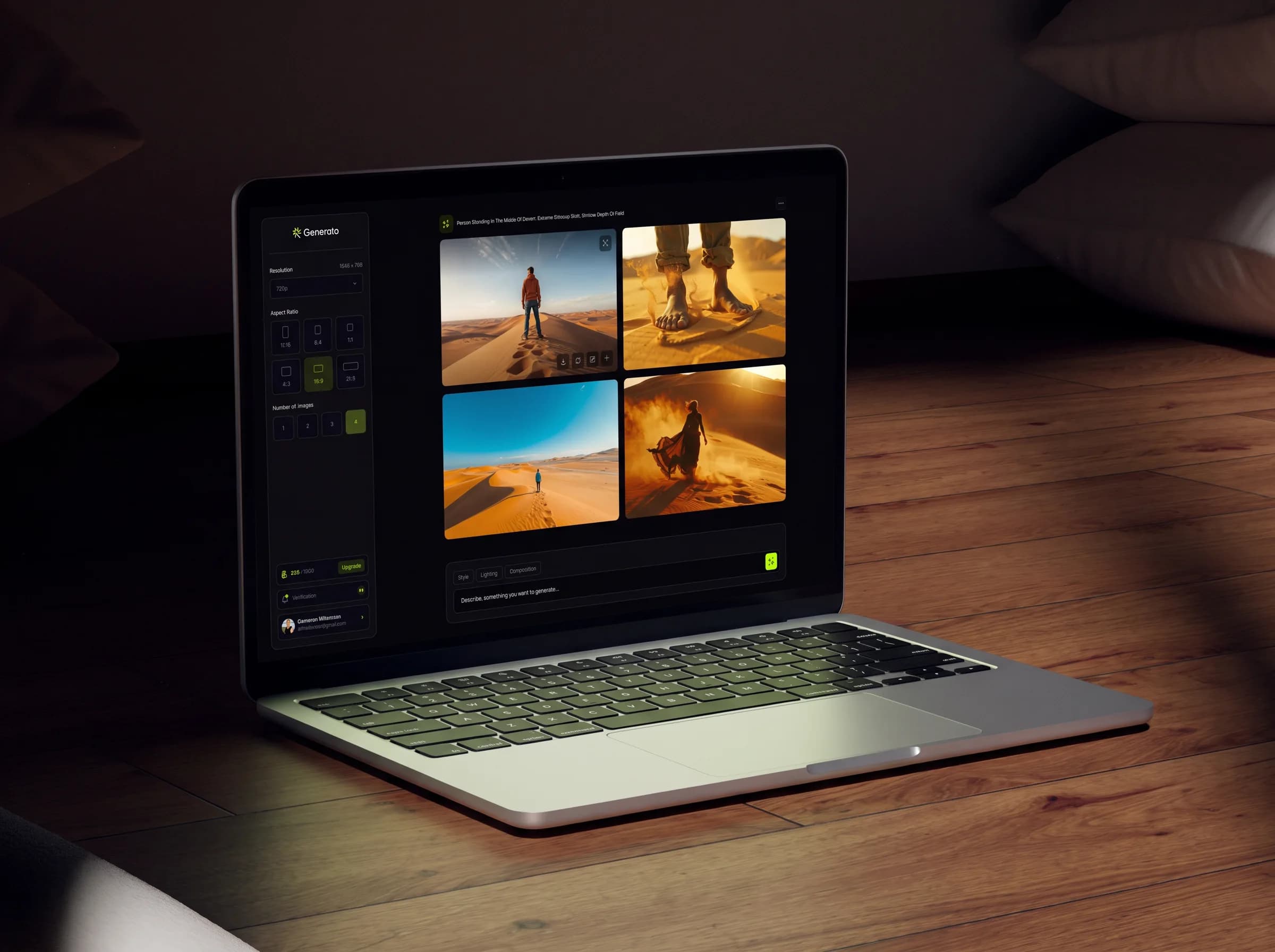
AI Image Generator2024

Generato

From 8 minutes to 3 — fixing an AI app that lost half its new users

Generato is an app where you type what you want to see and it paints the picture. Half the people who tried it left after one go.

Role

Lead Product Designer

Timeline

12 weeks

Team

3 Eng · 1 PM

Year

2024

Generato generation canvas — a 2×2 grid of four generated desert images with the prompt bar below
01The problem

Half of new users tried it once and never came back.

47%

quit in their first session

The team spent six weeks making the model smarter. The number didn’t move.

01

Prompt engineering

You have to know the magic words. Empty box, blank stare — and no way to tell whether what you typed is any good until 45 seconds and a credit later. 73% called prompt confidence their #1 frustration; 88% had never read a prompting guide.

02

A complex interface

Ten expert controls sitting on a first-time user, none of them labelled in language they recognise. Choice paralysis before typing a single word.

We don’t need a redesign. We need a better model.

Founding CTO, kickoff meeting
02Research

So I asked the users what was going on.

8 interviews and 800+ surveys. Everyone said a version of the same three things.

01

“I don’t know what to type.”

Empty box, blank stare. What words make a good picture? 73% called this their #1 frustration.

02

“I can’t tell if it’s going to work.”

Type, generate, wait 45 seconds — then find out it’s wrong. Start over.

03

“There are too many buttons.”

Ten expert settings on the first screen. 88% had never read a prompting guide.

The insight

People knew exactly what they wanted to see. They just couldn’t put it into words the AI understood.

03Journey map

They didn’t quit right away. They quit on the second try.

Mapping the first session showed the real drop-off point. They weren’t confused — they were hopeful, then slowly gave up. Not at the first bad picture, but at the failed attempt to fix it.

01

Sign up

02

First try

03

Wrong picture

04

Second try

05

Gone

Hopeful

Unsure

Intimidated

Frustrated

Gave up

Thinks

This is going to be fun.

Thinks

Is that enough detail?

Thinks

What is CFG scale?

Thinks

I’m just guessing now.

Thinks

It’s not going to meet me halfway.

Does

Lands on an empty text box.

Does

“A cat on a chair.” Waits 45 seconds.

Does

Blurry. Opens settings, doesn’t recognise half the labels.

Does

Copies a prompt from Reddit. Moves random sliders.

Does

Closes the tab. Never comes back.

47% of first-session users drop off here

5 stages mapped · synthesised from 8 interviews · the fall happens between Try and Fail, not at the start

I kept pressing generate hoping it would just figure out what I meant. By the fourth try I realized the tool wasn’t going to meet me halfway.

P04, quit in session 2
04Personas

Twenty-four user stories. Three people.

Most of what came out of the interviews were features, not problems. I cut until only the stories that mapped to something a real person actually said were left. Three people, across the two problems — two of them blocked by prompt engineering, one by the interface itself.

Sam

First-time user

Primary

Heard about Generato from a friend and signed up the same evening. Has never used an AI image tool and has never read a prompting guide — like 88% of the people surveyed. Opens the app with a picture already in their head and no vocabulary to describe it.

I don’t know the magic words to make it work.

Goals

  • Describe a scene in plain English
  • See something usable on the first attempt
  • Not have to learn prompt engineering first

Frustrations

  • An empty prompt field with no starting point
  • No idea which words actually change the output
  • Advanced settings labelled in language they don’t recognise

Behaviour

  • Types a short, literal description
  • Waits out the full 45-second generation
  • Abandons after the second failed attempt

Evidence·Prompt engineering · 73% ranked prompt confidence their #1 frustration · 47% churn in session one

Jamie

Content creator

Secondary

Makes marketing images against a paid credit budget, so every generation has a cost and every wasted run is a real loss. Copies prompts from Reddit because borrowing one is cheaper than guessing at their own.

45 seconds and it’s usually wrong.

Goals

  • Know whether a prompt is strong before spending a credit
  • Get a predictable result, not a lottery ticket
  • Build up a set of prompts that reliably work

Frustrations

  • No signal on prompt quality until after paying for it
  • 45 seconds to discover the run failed
  • No way to learn what made the good ones good

Behaviour

  • Copy-pastes prompts from communities
  • Runs several variations at once to hedge
  • Keeps working prompts in a separate document

Evidence·Prompt engineering · named in interviews as the reason for abandoning paid plans

Alex

Returning casual designer

Tertiary

Comes back every few weeks needing one specific image. Fluent in design tools generally, but not a prompt expert and not interested in becoming one. Wants the interface to get out of the way.

Too many settings, I just want to generate.

Goals

  • Get in, make the image, get out
  • Focus on the picture, not the controls around it
  • Not relearn the tool on every visit

Frustrations

  • Ten expert controls competing for attention on the first screen
  • Choice paralysis before typing a single word
  • Having to hunt for the generate button

Behaviour

  • Ignores advanced settings entirely
  • Sticks to defaults
  • Leaves if the task takes more than a few minutes

Evidence·A complex interface · the second repeating theme across all 8 interviews

24 stories drafted · 3 prioritised · INVEST framework · synthesised from 8 interviews and 800+ surveys · week 3

05IA & user flow

Then I rebuilt the map.

Generate was one of eight equal items in the top bar — it read like Settings or Help. A card sort with 14 people cut the navigation from eight top-level items to four, with Generate as the spine and every tool one click from home. Three versions to get there.

The flow itself went from seven steps to four, validated think-aloud with six users. v1 was the old flow but politer, and testers still got lost. v2 added a template picker up front — faster, but people felt boxed in. v3 folded the help into the prompt field itself, so no new screens at all.

Before · the session that churned

5 stages · 47% gone by the last one
  1. 01

    Sign up

    Lands on an empty text box. Hopeful.

  2. 02

    First try

    “A cat on a chair.” Waits 45 seconds.

  3. 03

    Wrong picture

    Blurry. Opens settings, doesn’t recognise the labels.

  4. 04

    Second try

    Copies a prompt from Reddit. Moves random sliders.

  5. 05

    Gone

    Closes the tab.

After · the flow that shipped

4 steps · no new screens
  1. 01

    Write

    Plain English, no jargon. Three example prompts underneath the field.

  2. 02

    Enhance

    Style, lighting and angle suggested inline. One tap to accept.

  3. 03

    Check

    Strength meter scores the prompt. Weak ones get a nudge, not a failure.

  4. 04

    Generate

    A confident run — and the result suggests one specific tweak to try next.

06Wireframes

I tried four ways to fix it. Three failed.

Each direction built rough and tested with 12 people.

rejected

Chat with the AI

Like arguing with a robot. Six minutes to one picture.

rejected

Drag-and-drop builder

Looked cool. 73% couldn’t finish a basic task.

secondary

Pick from templates

Fast but boxed-in. Kept as a side option.

chosen

Help people write the prompt

A box that helps as you type. Three minutes. Winner.

07Final design

What I built.

One text box in the middle. Everything else exists to help fill it.

01

Show the options as pictures, not words.

Nobody knows what “golden hour” or “knolling” means. So instead of a dropdown of words, you see the same balloon drawn 16 ways. Pick by eye, learn the words for free.

SolvesPrompt engineering

Style presets — a 4×4 grid of 16 styles, each the same balloon re-rendered
Style presets16 styles, one balloon — differences legible at a glance.
Lighting presets popover with nine lighting conditions on the same subject
LightingSunny to Golden — shown, not told.
Composition presets popover with nine framings including Knolling
CompositionCamera vocabulary taught through pictures.
02

A strength bar for your prompt.

Like a password meter, but for your sentence — it fills as you add detail, before you spend a credit. Every picture keeps its prompt, so you tweak and go again instead of starting over.

SolvesPrompt engineering

Generation detail view with metadata, prompt and variants
The iteration loopPrompt, metadata and variants stay with every image.
Dashboard mid-interaction with a typed search query and open selects
Interactive statesTyped search, open selects, hover states — designed, not left to the framework.
03

One thing on the screen: the box where you type.

Size and count on the left. Every expert setting hidden until asked for. 40% less on screen, and the generate button found three seconds faster.

SolvesA complex interface

Generation canvas empty state with the prompt bar and style controls
First runAn empty canvas that points at exactly one thing: the prompt.
Generato dashboard with sidebar navigation and recent generations
Shipped IAGenerate is the spine — every tool one click from home.
04

Every tool works the same way.

Remove background, upscale, erase: same upload box, same sidebar, same limits up front. Learn one, you know all of them.

SolvesA complex interface

Upscale result with a before/after comparison slider
UpscaleThe before/after slider — proof of value in one gesture.
Background removal result with the subject cut out over a transparent checkerboard
Background RemoverOne upload, one click, one download.
Magic Eraser canvas — a full-bleed generated image with brush controls
Magic EraserThe interface disappears, the image stays.
Upscale tool empty state showing the shared upload dropzone
The shared shellSame dropzone, different parameters.
Magic Eraser upload state with brush type and brush size controls
Before the image existsTool settings visible up front, not after you commit.
Background removal upload empty state with file constraints
Empty statesConstraints up front: format, size, and what happens next.
08Usability testing

Then I made it worse.

My first version quietly rewrote people’s prompts to make them better. The pictures improved 15%. Satisfaction fell 22%. “It changed my words without asking.”

They didn’t want a smarter app — they wanted to stay in charge. So now it suggests and you tap to accept. Same smarts, your call. Satisfaction went 2.8 → 4.4 out of 5.

People want to be in charge more than they want a perfect result.

09Results

What it did.

−62%

Time to a picture they liked

8 minutes → 3

Kept their first picture

22% → 51%

+41%

Felt confident writing prompts

3.2 → 5.4 out of 7

+48%

Enjoyed using it

3.1 → 4.6 out of 5

Nobody notices the strength bar. They just notice their pictures got better.
More screens

Gallery — date-grouped masonry grid of generated images
GalleryHistory grouped by date, searchable across tools.

Next case study

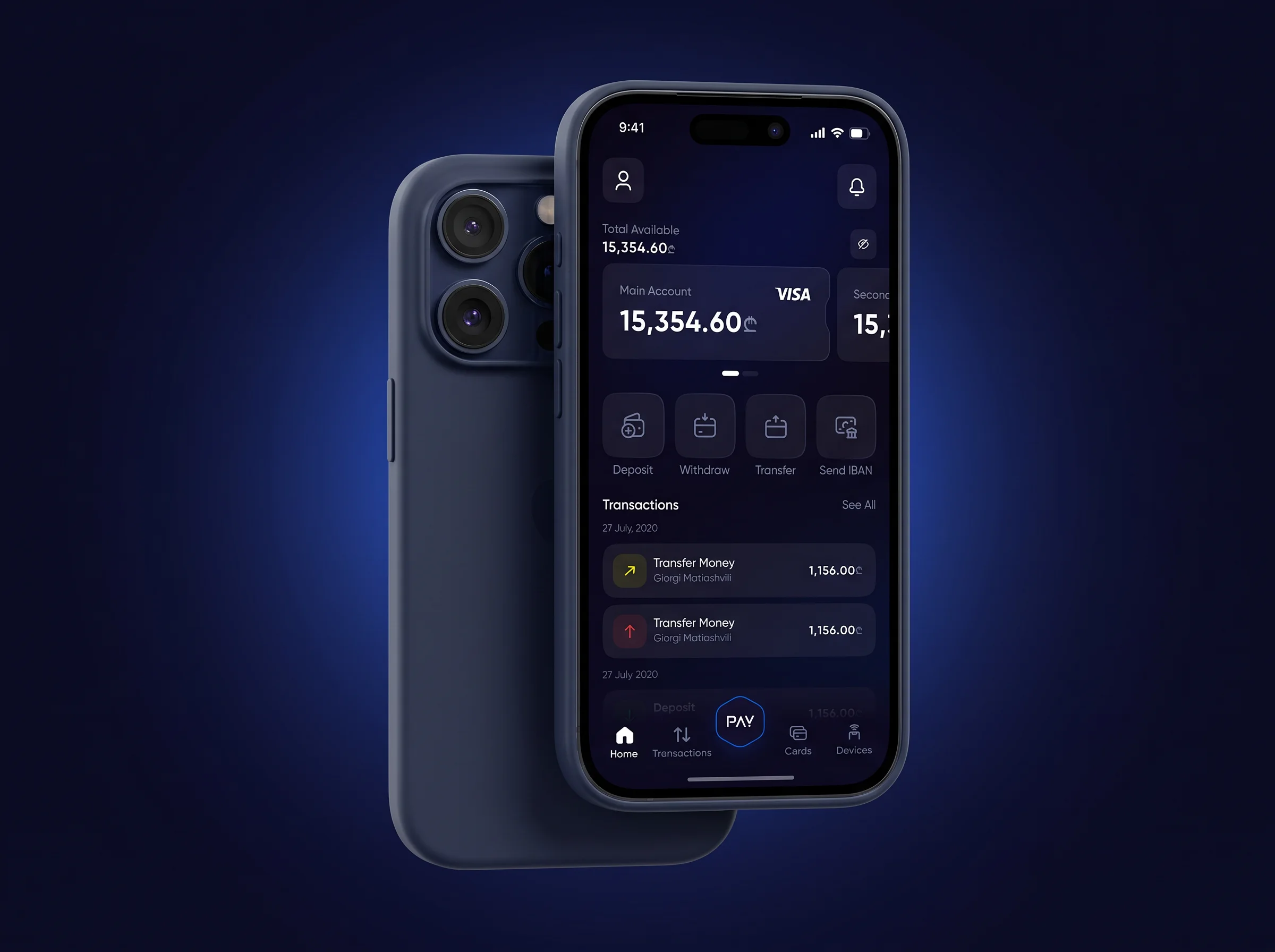
MultiPay

One wallet for lari, dollars and euros, where moving money stops feeling scary.